Ink Supply Station Ink Cartridge (Y)
Last updated: February 22, 2026
Featured Video
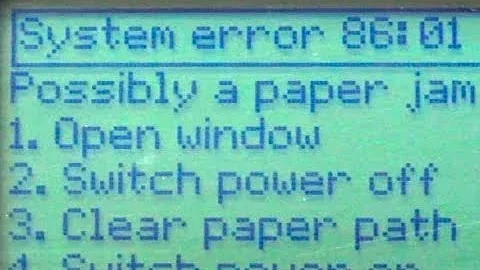
System Error 86:01 | HP Designjet 500 Plotter Machine Issue Resolved. #shorts #hp #plotter
Ink Supply Station Ink Cartridge (Y)
- 1
Turn off the printer
- 2
Ink Supply Station Ink Cartridge (Y)
- 3
Restart the printer
- 4
If error persists, contact HP Support
Reference diagrams for common repair procedures related to this error:
Carriage Belt Replacement

Formatter Board Location & Connections

Ink System Components & Flow Path

Note: These diagrams are for reference only. Always consult official HP service documentation and follow proper ESD precautions.
Still Having Issues?
Get connected with a certified DesignJet repair specialist in your area. Fast response, competitive quotes.
Explore Printers
Related Questions
Service Providers
A maintenance area on the right side of the printer where the printheads are capped and cleaned when not in use. It prevents ink from drying in the nozzles.
A replaceable cartridge that collects excess ink from printhead cleaning cycles, spitting, and other maintenance operations.
The complete system that stores, transports, and delivers ink from the cartridges to the printheads, including tubes, valves, and pressure regulators.
HP 711 ink cartridges are available in black (80ml/38ml), cyan, magenta, and yellow (29ml) for DesignJet T120, T520, T125, T130, T525, and T530 printers.
HP 727 ink cartridges come in 6 colors for DesignJet T920, T930, T1500, T1530, T2500, T2530, and T3500 printers.
HP 728 ink cartridges are available in 4 colors for DesignJet T730 and T830 printers.
Was this page helpful?
Related Videos
System Error 86:01 | HP Designjet 500 Plotter Machine Issue Resolved. #shorts #hp #plotter
HP Designjet 500 & 800 Error 86:01 AFTER Belt Replacement

System Error 86:01| Fixing HP DesignJet 500 86:01 Error - Step-by-Step #hp #designjet #plotter #2023

HP Designjet 500/800/510/500+Check/Replacement Carriage BushingsERROR 86:01 Carriage Axis Shutdown

Diagnoses of 86:01 in HP Designjet T2530