Carriage Axis Motor Failure
Last updated: February 16, 2026
Featured Video
HP DesignJet 500/800/510/500+Check/Replacement Carriage BushingsERROR 86:01 Carriage Axis Shutdown
HP Designjet 500/800/510/500+ Check/Replacement Carriage Bushings ERROR 86:01 Carriage Axis Shutdown Machines ...
This error indicates a problem with the motor responsible for moving the printhead carriage across the printer. It will prevent any printing operations.
- 1Faulty carriage axis motor
- 2Damaged or dirty encoder strip
- 3Broken or loose carriage belt
- 4Obstruction in carriage path
- 5Seized carriage bearings or worn carriage rod
- Carriage does not move or moves erratically
- Grinding noises from carriage area
- Printer stops during printing
- Print quality issues (vertical banding, misaligned prints)
- Error appears immediately on power-up
- 1
Turn off the printer and unplug it. 2. Open the top cover and gently try to move the carriage manually. It should move freely. 3. Look for any obstructions on the carriage path (e.g., paper, debris). 4. Check the carriage belt for tension and damage. 5. If the carriage is stuck or the belt is loose/broken, service is required.
A dirty or damaged encoder strip is a very common cause of carriage movement errors. Clean it gently with water and a lint-free cloth. Ensure the carriage belt tension is correct after replacement. Lubricate the carriage rod with recommended lubricant if it feels dry or sticky.
Reference diagrams for common repair procedures related to this error:
Carriage Belt Replacement

Note: These diagrams are for reference only. Always consult official HP service documentation and follow proper ESD precautions.
Still Having Issues?
Get connected with a certified DesignJet repair specialist in your area. Fast response, competitive quotes.
Explore Printers
Glossary Terms
Related Questions
Service Providers
The component that deposits ink onto the media. DesignJet printers use thermal inkjet printheads that fire tiny droplets of ink through microscopic nozzles.
The mechanism that moves the printheads back and forth across the media during printing. It rides on a guide rail and is driven by the scan-axis motor via a belt.
The motor that drives the carriage assembly horizontally across the platen. It's responsible for the precise left-right movement of the printheads during printing.
A calibration process that ensures all printheads are precisely aligned relative to each other for accurate color registration and sharp output.
When the printhead physically contacts the media surface during printing, potentially damaging both the print and the printhead.
A print mode where the printhead deposits ink in both directions of travel (left-to-right and right-to-left), doubling print speed compared to uni-directional printing.
Was this page helpful?
Related Videos
HP DesignJet 500/800/510/500+Check/Replacement Carriage BushingsERROR 86:01 Carriage Axis Shutdown

System error code: 86:01 on HP T790 T1300 T2300 DesignJet Printer
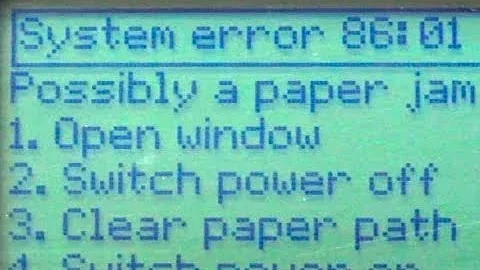
HP DesignJet 500 & 800 Error 86:01 AFTER Belt Replacement

HP T830 Plotter Error Code 0042-0117 for full video check my youtube channel "BABA FIX" pl subscribe

Repair for HP DesignJet 500/800/510/500+ Check/Clean/Replace Encoder Strip ERROR: 86:01/10/11-87:13